

Important Note on Usage Limits
The IO Intelligence API provides the following free daily limits (measured in LLM tokens) per account, per day, per model..Column Definitions:
- LLM Model Name: The name of the large language model (LLM) available for use.
- Daily Chat Quota: The maximum number of tokens you can use in chat-based interactions with this model per day.
- Daily API Quota: The maximum number of tokens allowed for API-based interactions per day.
- Daily Embeddings Quota: The maximum number of tokens available for embedding operations per day.
- Context Length: The maximum number of tokens the model can process in a single request (including both input and output).
This limit is designed to ensure fair and balanced usage for all users. If you anticipate needing a higher request limit, please consider optimizing your implementation or reach out to us for assistance.
Introduction
You can interact with the API using HTTP requests from any programming language or by using the official Python and Node.js libraries. To install the official Python library, run the following command:Example: Using the IO Intelligence API with Python
Here’s an example of how you can use theopenai Python library to interact with the IO Intelligence API:
Llama-3.3-70B-Instruct model, and retrieve a response.
Authentication
API keys
IO Intelligence APIs authenticate requests using API keys. You can generate API keys from your user account: Include the API key in anAuthorization HTTP header for all API requests:
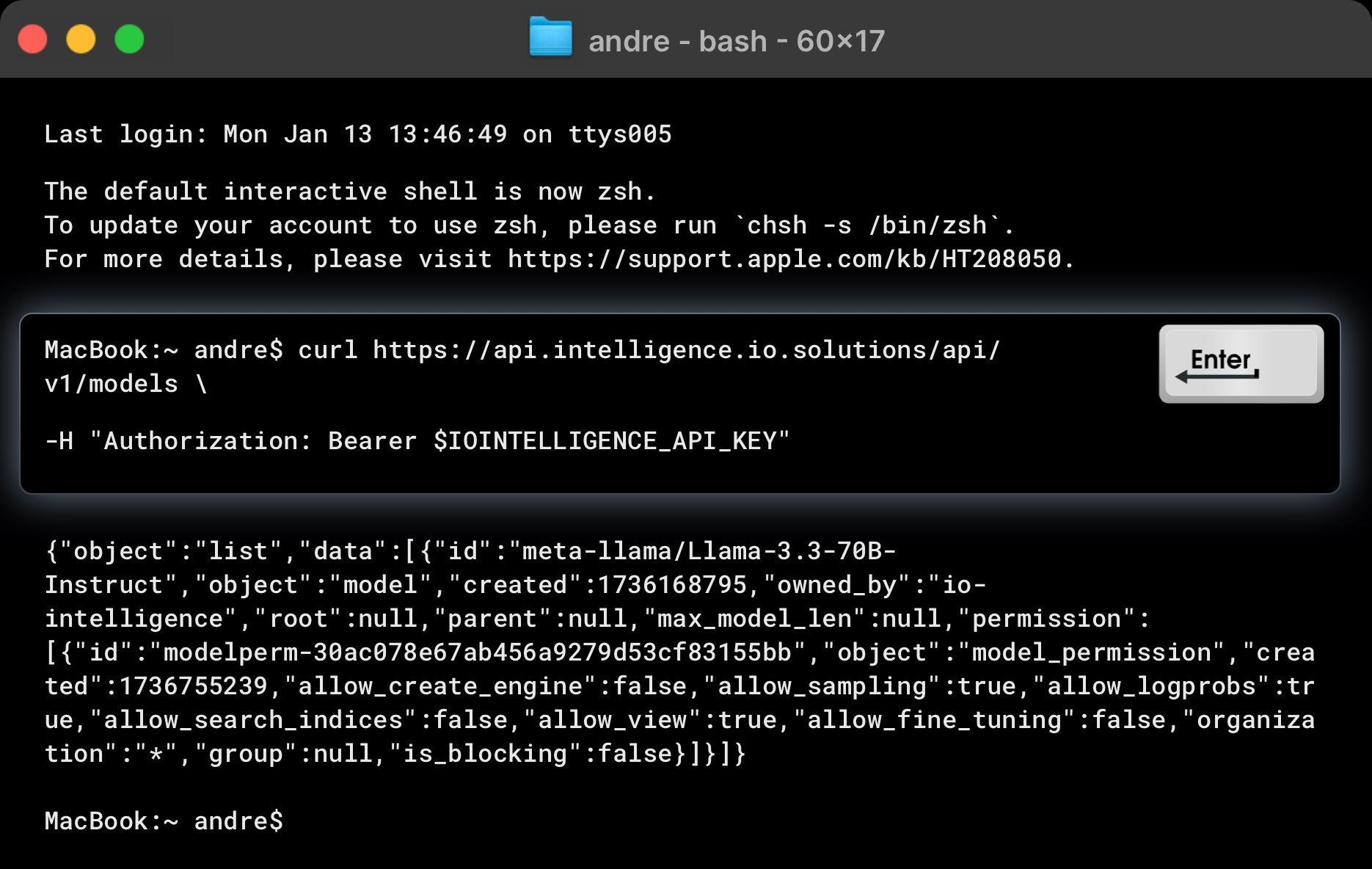
Example: List Available Models
Here’s an examplecurl command to list all models available in IO Intelligence:
Making requests
To test the API, use the followingcurl command. Replace $IOINTELLIGENCE_API_KEY with your actual API key.
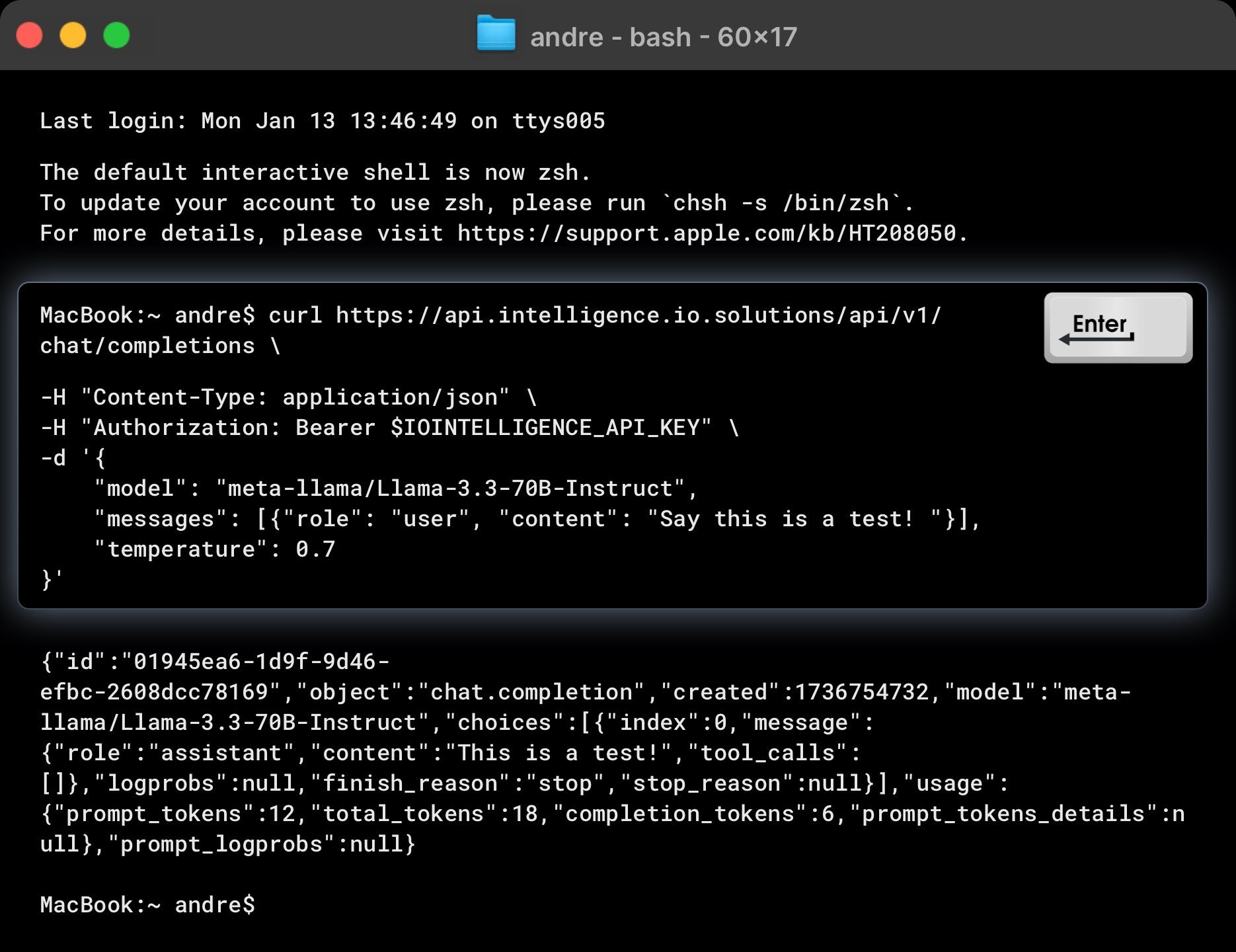
meta-llama/Llama-3.3-70B-Instruct model to generate a chat completion for the input: “Say this is a test!”.:
Example Response
The API should return a response like this:Key Details in the Response
- finish_reason: Indicates why the generation stopped (e.g., “stop”).
- choices: Contains the generated response(s). Adjust the n parameter to generate multiple response choices.